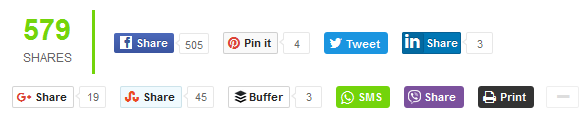
Today we will discuss how to install "Jumbo Share Counters" Plugin in your blogspot blogs. We will learn how to add JSC horizontal social sharing bar below post titles and at the bottom of your blog posts i.e. Post footer. 
Adding a sharing bar below post titles or at post footer are best locations to increase your social shares and social media referral traffic. You can choose to display it twice on a single page or you can choose to display it once at top or bottom of your blog post.
Demo: Scroll to the bottom of this post
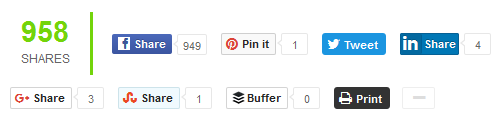
JSC blogger widget by default includes the following 10 popular share buttons:
- Facebook
- GooglePlus +1
- Twitter
- LinkedIn
- Pinterest
- StumbleUpon
- Buffer
- Viber - Will automatically display in mobile devices
- Whatsapp - Auto displayed in mobile devices
- Print
The viber and whatsapp share buttons will display only in mobile devices such as smartphones. These two buttons will allow users to share your blog posts with their viber contacts and whatsapp contacts. We are using IsMobileRequest condition to allow these buttons to display only small screens unlike CSS display:none.
JSC Horizontal Sharing Bar is the most advanced PHP driven FREE sharing plugin built for Blogspot templates (and other platforms) that works perfectly in both custom templates and responsive blogger templates.
The following features makes it the most advanced sharing plugin:
- Mobile responsive,
- SEO friendly,
- Lightweight & Lightening fast,
- Animated number counter on scroll,
- Natural in design
- Customizable
- Expand/Collapse option
- Hosted on cloud servers
- Free of cost!
Lets get straight to work!
Add JSC Horizontal Sharing bar in Blogger Template
Before we could begin, you must first install JSC plugin by following the steps mentioned in this tutorial:
After installing the scripts follow these easy steps:
1 Go To Blogger > Templates > Backup your template
2 Click Edit HTML
3 Search for ]]></b:skin> and paste the following CSS code just above ]]></b:skin>
/* ##### FREE JUMBO SHARE COUNTERS ####### */
#MBTshares-wrap{margin:20px 0px;border-top: 1px dotted #eee;
padding: 10px 0;border-bottom: 1px dotted #eee;overflow:hidden}
#MBTshares{display:inline-block;overflow:hidden;text-align:left;white-space:nowrap;font-family:arial;font-size:11px;margin:0px 5px 0; line-height: 1.4em!important;}
#horiz{position:relative; padding:0; margin:0;}
#horiz #MBTshares{position:relative;top:-8px; padding-top:20px;}
#MBTshares a:hover{text-decoration:none!important;}
/***Facebook***/
.mbt-fb{background:transparent linear-gradient(#4C69BA,#3B55A0) repeat scroll 0 0;border:medium none;border-radius:2px;color:#FFF!important;cursor:pointer;font-weight:700;height:20px;line-height:20px;padding:0 6px;white-space:nowrap;text-shadow:0 -1px 0 #354C8C}
.mbt-fb:focus,.mbt-fb:hover,.mbt-fb:active{background:transparent linear-gradient(#5B7BD5,#4864B1) repeat scroll 0 0;border-color:#5874C3 #4961A8 #41599F;box-shadow:0 0 1px #607FD6 inset}
.mbt-fb i{padding:2px 2px 0 4px;font-size:11px;color:#3B5998;background:#fff;margin-right:4px;margin-top:3px}
.mbt-fb:hover, .mbt-fb:visited, .mbt-tw:hover,.mbt-tw:visited, .mbt-linkedin:hover ,.mbt-linkedin:visited{color:#fff!important;}
/***Gplus, Pinit, Stumbleupon***/
.mbt-gp{box-shadow:0 1px 0 rgba(0,0,0,0.05);background-color:#FFF;background-image:none;border-radius:2px;border:1px solid rgba(0,0,0,0.17);color:#262626!important;cursor:pointer;font-weight:700;height:20px;line-height:20px;padding:0 6px 0 4px;white-space:nowrap}
.mbt-gp:hover, .mbt-gp:visited{color:#262626!important;}
#MBTshares .pinit{background:#f9f9f9!important}
#MBTshares .stumb{background:#f0fafe!important;border:1px solid #cde3ea}
#MBTshares .stumb:hover{border:1px solid #b7d5df;box-shadow:0 1px 0 rgba(0,0,0,0.1)}
#MBTshares .stumb i{color:#eb4823!important;font-size:13px!important;margin-top:1px!important}
.mbt-gp:focus,.mbt-gp:hover,.mbt-gp:active{border:1px solid rgba(0,0,0,0.25);box-shadow:0 1px 0 rgba(0,0,0,0.1)}
.mbt-gp i{padding:2px 2px 0 0;font-size:11px;color:#DB4437;margin-right:2px;margin-top:3px}
.mbt-gp .fa-pinterest{padding:0 2px 0 0;font-size:14px}
#MBTshares .bufferimg{width:15px; margin-top:2px; padding:0 1px 0 0; }
/***LinkedIn***/
.mbt-linkedin{transition:background-color .218s ease 0s,border-color .218s ease 0s,box-shadow .218s ease 0;background-color:#0077B5;text-shadow:0 -1px #005887;border:medium none;border-radius:2px;border:1px solid #066094;color:#fff!important;cursor:pointer;font-weight:700;height:20px;line-height:20px;padding:0 2px 0 1px;white-space:nowrap}
@media screen and (-webkit-min-device-pixel-ratio:0) {
.mbt-linkedin{padding:0 5px 0 1px}
}
.mbt-linkedin:focus,.mbt-linkedin:hover,.mbt-linkedin:active{border:1px solid #0369A0;background-color:#0369A0}
.mbt-linkedin i{padding:0;font-size:17px;color:#FFF;margin-right:0;position:relative;left:1px}
.mbt-linkedin .ibg{background:#0369A0 none repeat scroll 0 0;width:17px;display:inline-block;border-right:1px solid #006095;border-radius:2px;height:20px;padding:0 2px 0 1px;margin:0 2px 0 -1px}
/**Twtter, Print, Whatsapp, viber**/
.mbt-tw{position:relative;height:22px;padding:4px 8px 1px 4px;font-weight:700;color:#FFF!important;cursor:pointer;background-color:#1B95E0;border-radius:3px;box-sizing:border-box}
.mbt-tw:focus,.mbt-tw:hover,.mbt-tw:active{background-color:#0C7ABF}
.mbt-tw i{padding:0 0 0 1px;font-size:14px;color:#fff;margin-right:2px;margin-top:0}
.mbt-o{max-width:100%}
.mbt-o,.mbtcount-o,.mbt-fb,.mbt-gp,.mbt-linkedin,.mbt-tw,.label,#mbtcount{display:inline-block;vertical-align:top}
.label {margin-left: -1px !important;}
.mbtcount-o{position:relative;min-width:15px;height:17px;text-align:center;padding:1px 5px;margin-left:2px;background:#FFF none repeat scroll 0 0;border:1px solid #e7e7e7;border-radius:2px; }
#MBTshares .printme {background-color:#333;}
#MBTshares .printme:focus,#MBTshares .printme:hover,#MBTshares .printme:active{background-color:#000}
#MBTshares .whatsapp{background-color:#73D40B;}
#MBTshares .whatsapp i{font-size:15px!important;}
#MBTshares .whatsapp:focus,#MBTshares .whatsapp:hover,#MBTshares .whatsapp:active{background-color:#65BA09}
#MBTshares .viber{background-color:#7b519d;}
#MBTshares .viber:focus,#MBTshares .viber:hover,#MBTshares .viber:active{background-color:#8558aa}
#MBTshares .viberimg{width:13px; margin-top:0px; padding:0 3px 0 0; }
#mbtcount{color:#666;white-space:nowrap;text-decoration:none;padding:2px 0 0}
#mbtcount:hover{text-decoration:none}
#MBTshares .arrow{height:0;left:-10px;position:relative;top:-15px;width:5px;z-index:2}
#MBTshares .ext{min-height:18px!important}
#MBTshares .arrow s,#MBTshares .arrow i{border-color:transparent #e7e7e7;border-style:solid;border-width:4px 5px 4px 0;display:block;position:relative;top:19px}
#MBTshares .arrow i{border-right-color:#FFF;left:2px;top:11px}
.share-btn{position:relative;display:inline-block}
.share-btn .h2{font-size:30px;font-weight:700;font-family:arial;color:#73D40B;height:31px; line-height: 1.4em;}
.share-btn .h4{font-size:12px;font-family:arial}
/*#########Floating Counter Styles###########*/
.mbt-vertical{ max-width:60px!important;margin:0 0 0 -83px!important;border:1px solid #f3f3f3!important;padding:3px 6px 0!important;background:#fff; position: fixed;z-index:99999;bottom: 7%;float: left;border-right:0px solid #fff!important;}
.mbt-vertical #MBTshares{display:block;width:60px;margin:7px 0!important}
.tcount{margin:0 10px 0 0;text-align:center;min-width:60px;border-right:3px solid #73D40B;padding:0 15px 0 10px}
.mbt-vertical .tcount{border-right:0;padding:0;text-align:center;height:auto}
.tcount .h2{font-size:29px;padding-bottom:5px}
.tcount .h4,.mbt-vertical .tcount .h4{font-size:12px;padding-bottom:5px;border-radius:0}
.mbt-vertical .tcount .h4{border-bottom:3px solid #73D40B}
.mbt-vertical .mbt-o,.mbt-vertical .mbtcount-o,.mbt-vertical .mbt-fb,.mbt-vertical .mbt-gp,.mbt-vertical .mbt-tw,.mbt-vertical #mbtcount{display:block}
.mbt-vertical .mbtcount-o{margin-bottom:7px;margin-left:0;height:30px}
.mbt-vertical #mbtcount{padding:7px 0 0;font-size:15px;color:#666}
.arrow-v{bottom:-8px;height:7px;left:25px;position:absolute;width:0;z-index:2}
.arrow-v s,.arrow-v i{border-color:#e7e7e7 transparent transparent;border-style:solid;border-width:5px;display:block;position:relative}
.arrow-v i{border-top-color:#FFF;left:0;top:-12px}
/*#########Vertical Counter Switch###########*/
.switchoff{display:none}
.mbtswitch{padding:0 16px;margin:0 0 5px;display:block;max-width:60px;height:20px;cursor:pointer;background-color:#fff;border:1px solid #eee;border-radius:2px;outline:0 none;font:16px fontawesome;color:#ddd}
.mbtswitch:hover{color:#73D40B}
.mbtswitch i.active:after{content:'\f067';position:relative;left:7px;top:2px;font-style:normal}
.mbtswitch i.inactive:after{content:'\f068';position:relative;left:7px;top:2px;font-style:normal}
/*#########Horizontal Counter Switch###########*/
.switchoff2{display:inline-block;}
.mbtswitch2{padding:0 15px 0 3px;position:relative;top:-15px;margin:20px 0 0 3px;display:inline-block;max-width:30px;height:20px;cursor:pointer;background-color:#fff;border:1px solid #eee;border-radius:2px;outline:0 none;font:16px fontawesome;color:#ddd}
.mbtswitch2:hover{color:#73D40B}
.mbtswitch2 i.active:after{content:'\f067';position:relative;left:7px;top:2px;font-style:normal}
.mbtswitch2 i.inactive:after{content:'\f068';position:relative;left:7px;top:2px;font-style:normal}
@media only screen and (max-width:230px) {
.tcount{border-bottom: 2px solid #74D50C; border-right:none; min-width:100%;}
#horiz #MBTshares {width: 100%;}
}
The stylesheet above can easily be customized if you wish. To change the green font color of the JumboShare count kindly edit #73D40B
4 Next search for <data:post.body/> . This code is located twice, once for mobile view and once for desktop view. Therefore consider the second appearance of <data:post.body/> only.
Note: If you want to display the sharing bar below post titles then paste the following HTML code just above <data:post.body/> but if you wish to display the sharing bar at bottom of post then paste the following HTML code just below <data:post.body/>
If you want to display the sharing bar twice at both these locations, then paste the following HTML code twice once above <data:post.body/> and once below <data:post.body/>.
<b:if cond='data:blog.pageType == "item"'>
<div id='MBTshares-wrap'>
<!--TOTAL-->
<div class='share-btn tcount' data-service='total'>
<div class='count h2 anim'/>
<div class='h4'>SHARES</div>
</div>
<span id='horiz'>
<!--FACEBOOK-->
<div id='MBTshares'>
<div class='mbt-o'>
<a class='mbt-fb' expr:href='"http://www.facebook.com/share.php?v=4&u=" + data:post.url + "&t=" + data:post.title' onclick='window.open(this.href,'sharer', 'toolbar=0,scrollbars,status=0,width=626,height=436'); return false;' rel='nofollow' target='_blank' title='Share on Facebook!'><i class='fa fa-facebook'/><span class='label'>Share</span></a>
</div>
<div class='mbtcount-o'>
<div class='arrow'><s/><i/></div>
<span class='share-btn' data-service='facebook'>
<span class='count anim' id='mbtcount'/></span>
</div>
</div>
<!--PINTEREST-->
<div id='MBTshares'>
<div class='mbt-o'>
<a class='mbt-gp pinit' expr:href='"http://pinterest.com/pin/create/button/?url=" + data:post.url + "&media=" + data:post.thumbnailUrl + "&description=" + data:post.title' onclick='window.open(this.href,'sharer', 'toolbar=0,scrollbars,status=0,width=626,height=436'); return false;' rel='nofollow' target='_blank' title='Pin it!'><i class='fa fa-pinterest'/><span class='label'>Pin it</span></a>
</div>
<div class='mbtcount-o ext'>
<div class='arrow'><s/><i/></div>
<span class='share-btn' data-service='pinterest'>
<span class='count anim' id='mbtcount'/></span>
</div>
</div>
<!--TWITTER-->
<div id='MBTshares'>
<div class='mbt-o'>
<a class='mbt-tw' expr:href='"http://twitter.com/home?status=" + data:post.title + "-" + data:post.url' onclick='window.open(this.href,'sharer', 'toolbar=0,scrollbars,status=0,width=626,height=436'); return false;' rel='nofollow' target='_blank' title='Share on Twitter!'><i class='fa fa-twitter'/><span class='label'>Tweet</span></a>
</div>
</div>
<!--LINKEDIN-->
<div id='MBTshares'>
<div class='mbt-o'>
<a class='mbt-linkedin' expr:href='"http://www.linkedin.com/shareArticle?mini=true&url=" + data:post.url' onclick='window.open(this.href,'sharer', 'toolbar=0,scrollbars,status=0,width=626,height=436'); return false;' rel='nofollow' target='_blank' title='Share on Linkedin!'><span class='ibg'><i class='fa fa-linkedin'/></span><span class='label'>Share</span></a>
</div>
<div class='mbtcount-o ext'>
<div class='arrow'><s/><i/></div>
<span class='share-btn' data-service='linkedin'>
<span class='count anim' id='mbtcount'/></span>
</div>
</div>
<div class='switchoff2' style='display:none;'>
<!--GOOGLE PLUS-->
<div id='MBTshares'>
<div class='mbt-o'>
<a class='mbt-gp' expr:href='"https://plus.google.com/share?url=" + data:post.url' onclick='window.open(this.href,'sharer', 'toolbar=0,scrollbars,status=0,width=626,height=436'); return false;' rel='nofollow' target='_blank' title='Share on Google Plus!'><i class='fa fa-google-plus'/><span class='label'>Share</span></a>
</div>
<div class='mbtcount-o ext'>
<div class='arrow'><s/><i/></div>
<span class='share-btn' data-service='google'>
<span class='count anim' id='mbtcount'/></span>
</div>
</div>
<!--STUMBLEUPON-->
<div id='MBTshares'>
<div class='mbt-o'>
<a class='mbt-gp stumb' expr:href='"http://www.stumbleupon.com/submit?url=" + data:post.url' onclick='window.open(this.href,'sharer', 'toolbar=0,scrollbars,status=0,width=626,height=436'); return false;' rel='nofollow' target='_blank' title='Stumble it!'><i class='fa fa-stumbleupon'/><span class='label'>Share</span></a>
</div>
<div class='mbtcount-o ext'>
<div class='arrow'><s/><i/></div>
<span class='share-btn' data-service='stumbleupon'>
<span class='count anim' id='mbtcount'/></span>
</div>
</div>
<!--BUFFER-->
<div id='MBTshares'>
<div class='mbt-o'>
<a class='mbt-gp' expr:href='"https://buffer.com/add?url=" + data:post.url + "&picture=" + data:post.thumbnailUrl + "&text=" + data:post.title + "&via=stc_network"' onclick='window.open(this.href,'sharer', 'toolbar=0,scrollbars,status=0,width=626,height=436'); return false;' rel='nofollow' target='_blank' title='Share on Buffer!'><img class='bufferimg' src='https://blogger.googleusercontent.com/img/b/R29vZ2xl/AVvXsEgHrZ-h-ct2sbj0tKGoeP1yMz2UquphK2Xv6bJIAV9qj-Spavn18I9WnweKzqz8ISYvGVGCLqhvNg8zlp8NK-zDufPQyAQPwIKC_DTUe9JAi2EqYTBBE-diannyaWp1I-CQOCWvg7tG4jc0/s1600/logo-icon.png'/><span class='label'>Buffer</span></a>
</div>
<div class='mbtcount-o ext'>
<div class='arrow'><s/><i/></div>
<span class='share-btn' data-service='buffer'>
<span class='count anim' id='mbtcount'/></span>
</div>
</div>
<b:if cond='data:blog.isMobileRequest == "true"'>
<!-- WHATSAPP -->
<div id='MBTshares'>
<div class='mbt-o'>
<a class='mbt-tw whatsapp' expr:href='"whatsapp://send?text=" + data:post.title + " >> " + data:post.url' rel='nofollow' target='_blank' title='Share on whatsapp!'><i class='fa fa-whatsapp'/><span class='label'>SMS</span></a>
</div>
</div>
<!-- VIBER -->
<div id='MBTshares'>
<div class='mbt-o'>
<a class='mbt-tw viber' expr:href='"viber://forward?text=" + data:post.title + " >> " + data:post.url' rel='nofollow' target='_blank' title='Share on viber!'><img class='viberimg' src=' https://blogger.googleusercontent.com/img/b/R29vZ2xl/AVvXsEh2-YLT75dYcrilwQqDSjHRISDTFBWBhQc3_43ICPAXEOKYTiPvHTKkMpL5PWQUIajq9EgMLqPqc8ev0o3WTiuKOgJ18u_3OAOfaH05rtoBSEkUWfMrQCfVnYC56LbtoZeovoTOkOsPGPa8/s1600/Icon_small.png'/><span class='label'>Share</span></a>
</div>
</div>
</b:if>
<!-- PRINT -->
<div id='MBTshares'>
<div class='mbt-o'>
<a class='mbt-tw printme' href='javascript:window.print()' rel='nofollow' target='_blank' title='Print this page!'><i class='fa fa-print'/><span class='label'>Print</span></a>
</div>
</div>
</div> <!--switchoff-->
<span class='mbtswitch2'><i class='active'/></span>
</span>
</div></b:if>
Customization Guide:
- All button locations are labeled for easy readability. You can easily change/swap the locations of button within the widget.
- Replace stc_network with your buffer handle or profile username or simply your blog title without spaces.
- If you wish to display some buttons in mobile devices only then paste its code inside the yellow highlighted tags.
- All buttons inside the purple highlighted tags will remain hidden when page loads and will be displayed only when the user clicks the +/- switch button. Buttons will display using this toggle button which we named the switch.
- If you wish to add more buttons inside the switch then simply copy its code and paste it inside the purple switch tags.
- To remove buttons from inside the switch, simply copy the button's code and paste it above the switch tag i.e.
<div class='switchoff2' style='display:none;'>
5 Save your template and you are all done!
Need Help?
I tried my best to make the installation instructions as easy as possible, but if in case you went into any technical trouble, do let me know for any help needed. I would love to assist you.
This plugin has really improved our social media presence and we have seen an excellent response from Facebook share button and stumbleupon. We will continue adding more buttons to it like reddit and delicious, depending on how many of you request for it. We will share the Floating sharing bar widget in next tutorial. Stay tuned till then!
Do share your precious feedback. Would love to hear from you all! =)


 This widget floats to the left or right of your blog posts thus grabbing maximum reader attention to promote more likes, tweets and shares. It has a maximum CTR and visitors on our blog tend to share more using this design model for share buttons.